
Do you use Stripe?
A-Cube e-invoicing
App for Stripe
Natively integrated with Stripe and available on its Marketplace, it allows you to automatically send electronic invoices for all Stripe transactions in Italy and abroad!

What is it for?
An app to keep
close to hand on the dashboard
Over one million businesses use Stripe every day to make or receive payments. Thanks to the A-Cube e-invoicing app, available on the Stripe Marketplace, you can easily create electronic invoices for every transaction automatically and in compliance with regulations.
With A-Cube's APIs, you can transform the data generated by Stripe into standard XML format with one click, and send it to the SdI automatically. You can also monitor the status of the submission and manage invoices without ever leaving the Stripe dashboard.
How do you use the app?
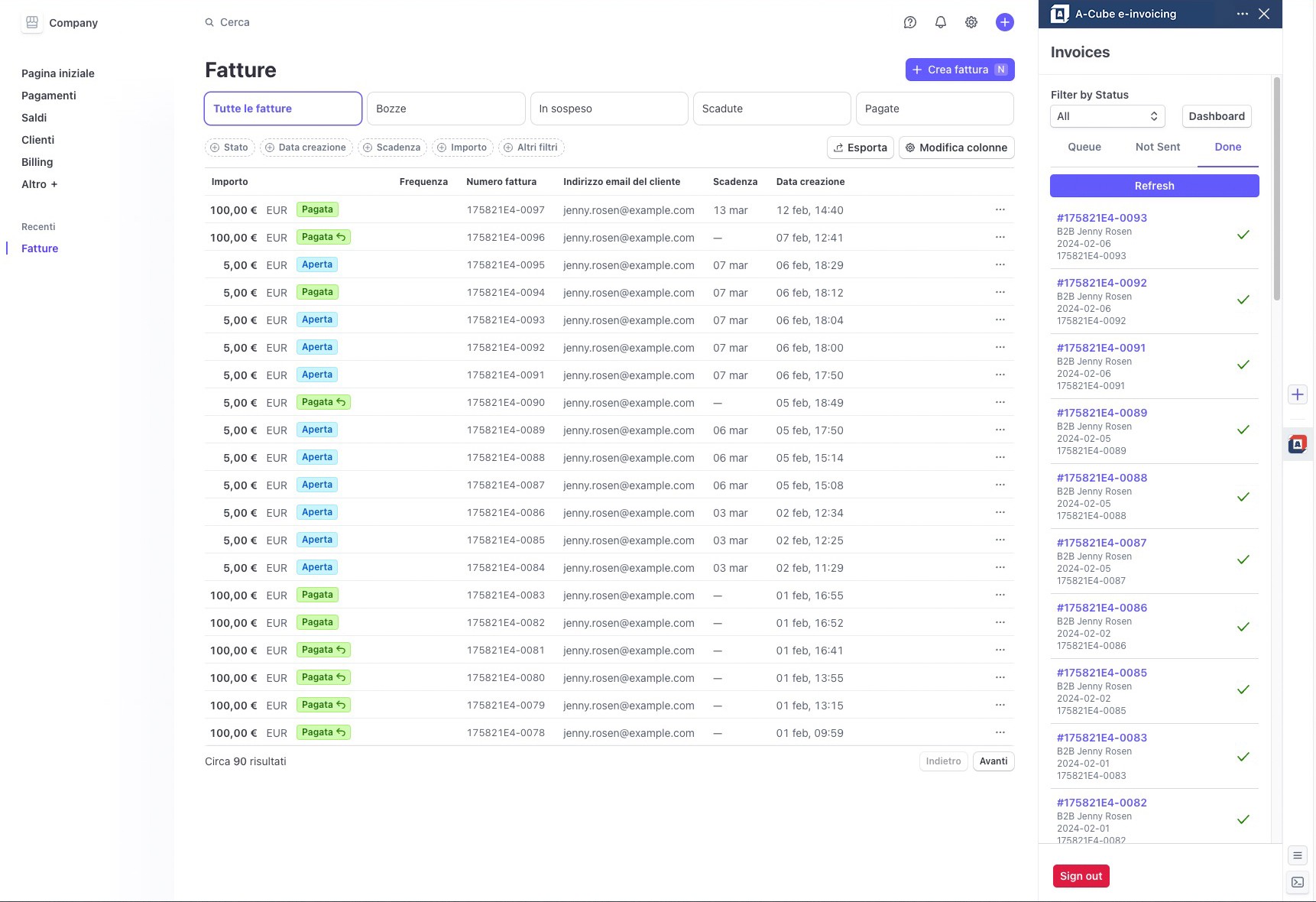
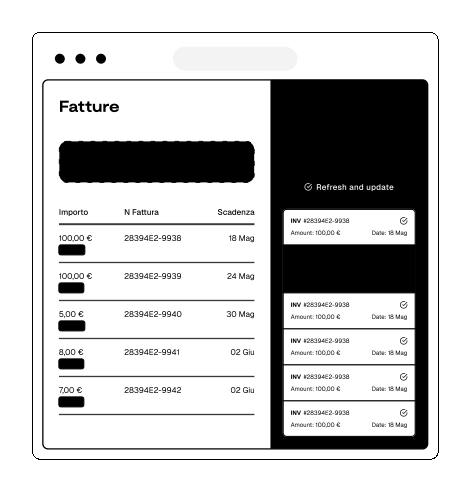
Issued, sent, paid.
Invoices are processed in real time upon submission, without queues or delays. Check the submission and status directly from the Stripe dashboard.
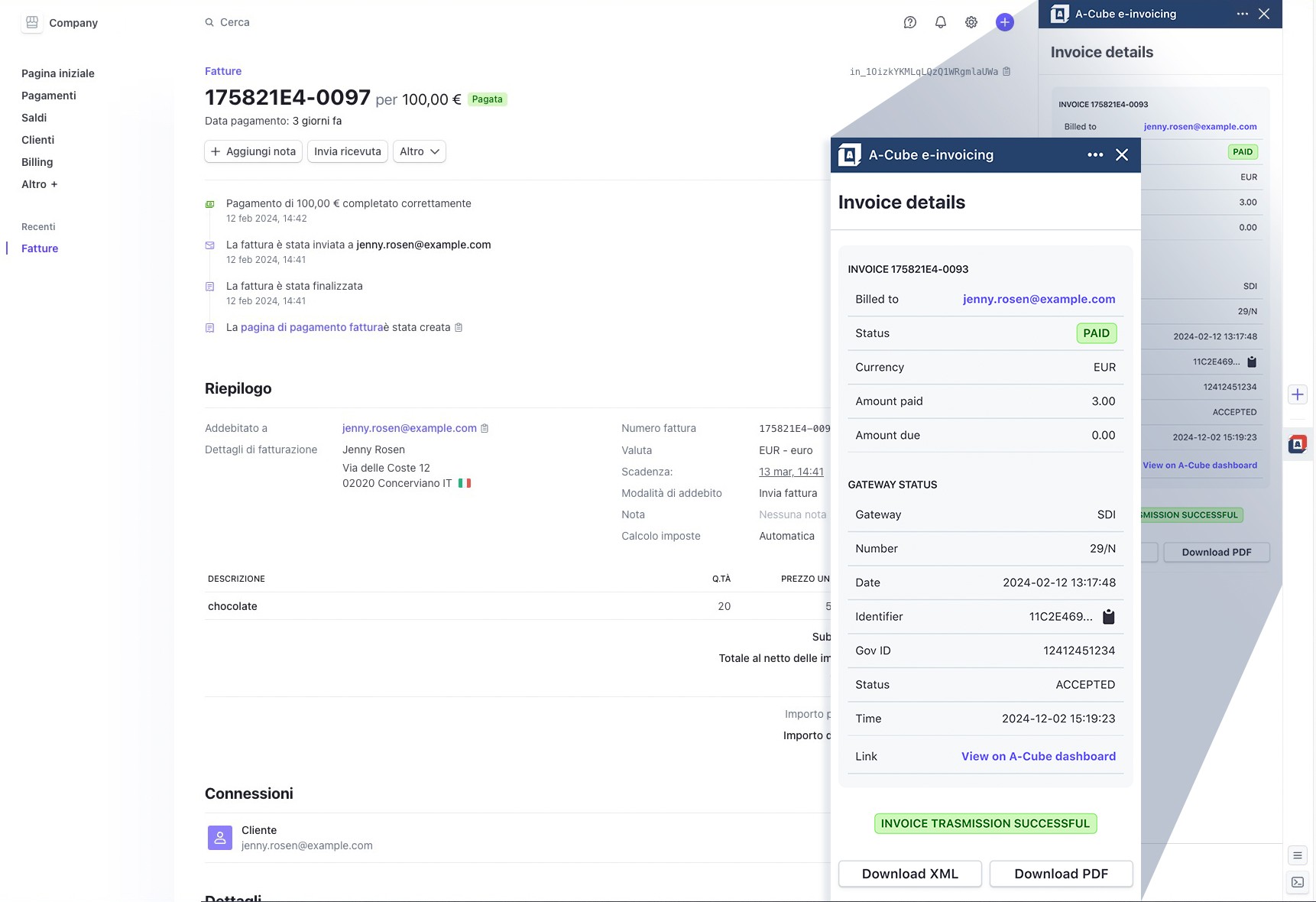
Details are important
By opening the details of a document, you can manage its sending in the sidebar, check the receipt details or download a copy of the XML or PDF file.
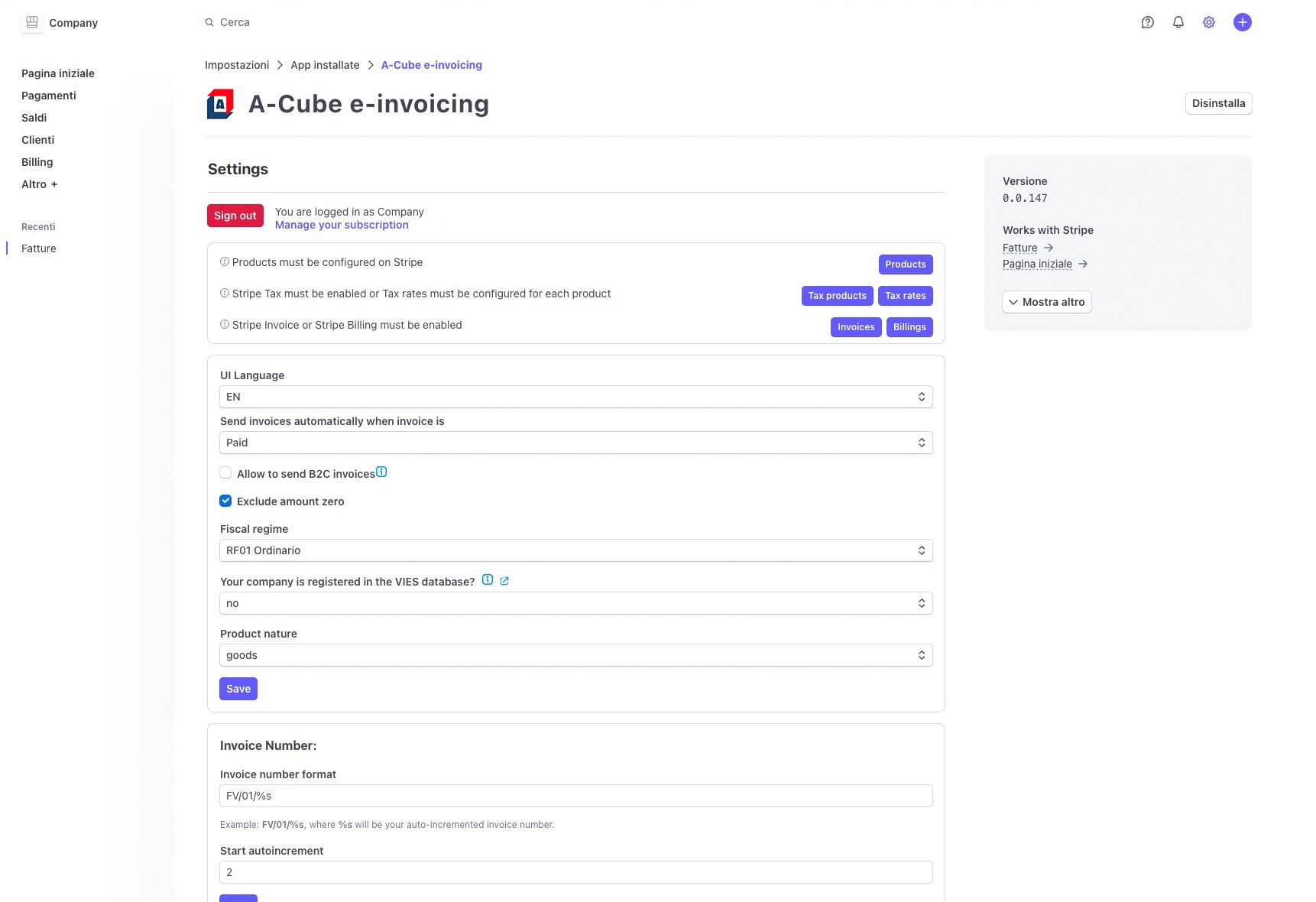
Flexible, as you need it
Within the app you can change the language, tax regime, the format of your invoices and much more. You can also choose whether to enable sending electronic receipts as well as invoices.
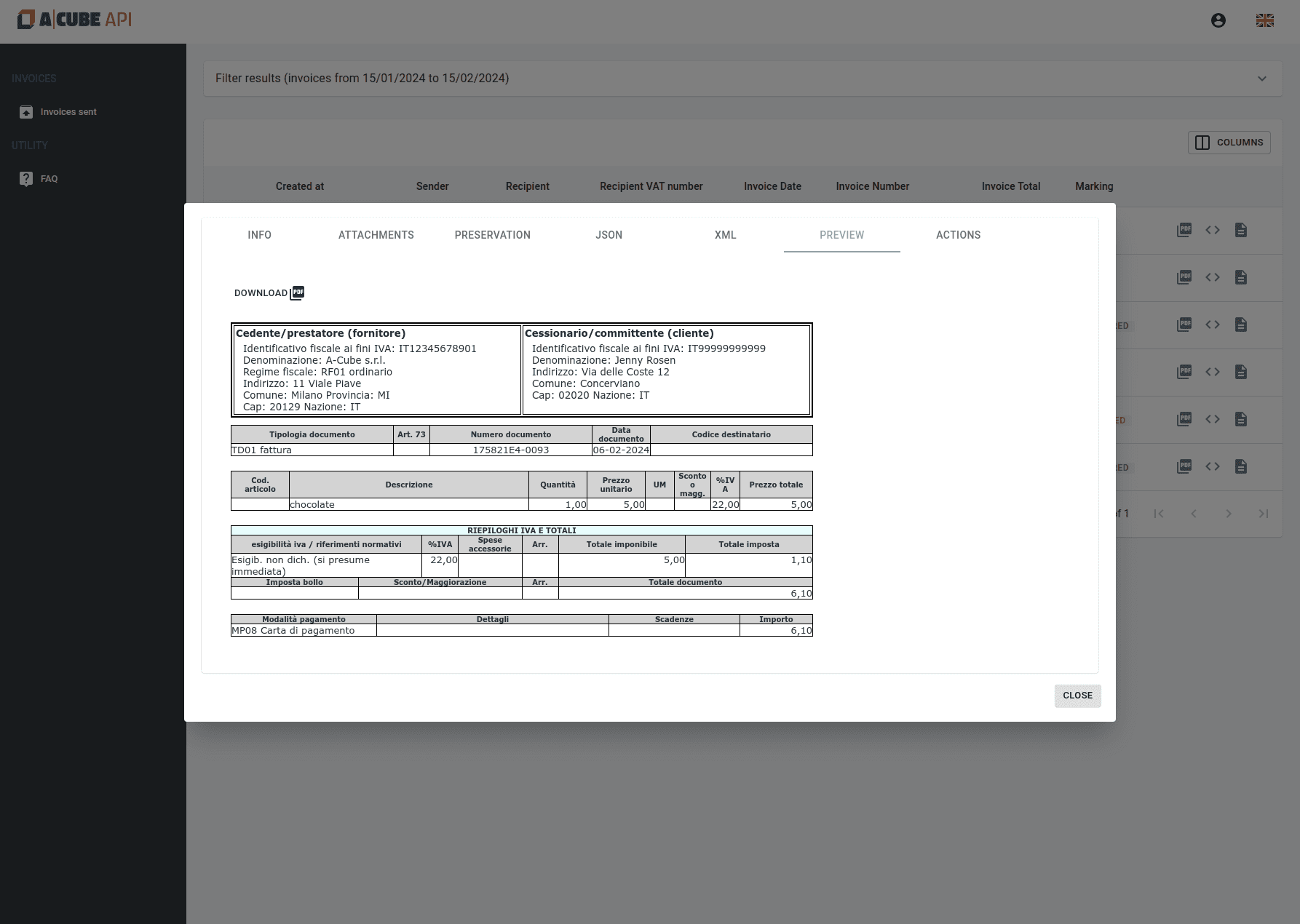
For everything else, there's our dashboard
In addition to the Stripe dashboard, you can use the dashboard offered by A-Cube for a more in-depth monitoring of invoicing flows and the ability to correct any rejected invoices.
FAQ
What is required to register for the service?
An email address, a mobile phone number (to receive the contract signing OTP), the company's billing details.
In which countries around the world is it active?
Which services are included?
Which tax regimes are supported?
Is it possible to send electronic invoices to private individuals?
Are invoice discounts handled?
Is stamp duty handled on the invoice?
How are taxes calculated on an invoice?
Is billing to foreign customers handled?
When is the invoice sent to the SdI?
What happens if my invoice receives a rejection notice?
What happens if I exceed my plan limit?
How is the charge made?
If I do not use the service, how long will my A-Cube account remain active?
What if I wanted a more advanced service?
Native integrations,
ready to use
Connect A-Cube to your preferred tech stack with preconfigured connectors for Stripe (free app on the Marketplace), SAP (enterprise ERP), and Microsoft Dynamics 365 Business Central (operational management).
These plug-ins reduce time-to-value by 80%, eliminating custom coding and ensuring real-time sync for billing, orders, and tax compliance — ideal for teams of all sizes looking to scale without friction.