API
Payments with Stripe? A-Cube launches an app to send invoices in one click!

If you use Stripe as the payment gateway for an e-commerce business or for your online business, we have good news for you: from today it is possible to send electronic invoices directly from the Stripe dashboard, with a single click or automatically, in a perfectly integrated way thanks to the app developed by A-Cube!
Over one million businesses use Stripe every day to make or receive payments: thanks to the A-Cube e-invoicing app, already available free of charge on the Stripe Marketplace, you can easily create electronic invoices for every transaction automatically and in compliance with standards. A-Cube's APIs transform the data generated by Stripe into XML format and send it to the Interchange System automatically. Thanks to our app, you can also monitor the sending status and manage all invoices, all without ever leaving the Stripe dashboard.
A-Cube has been an accredited channel with the Italian Revenue Agency for over 5 years for managing electronic invoicing and serves thousands of customers every day with millions of documents processed and managed every month.
What are Stripe apps?
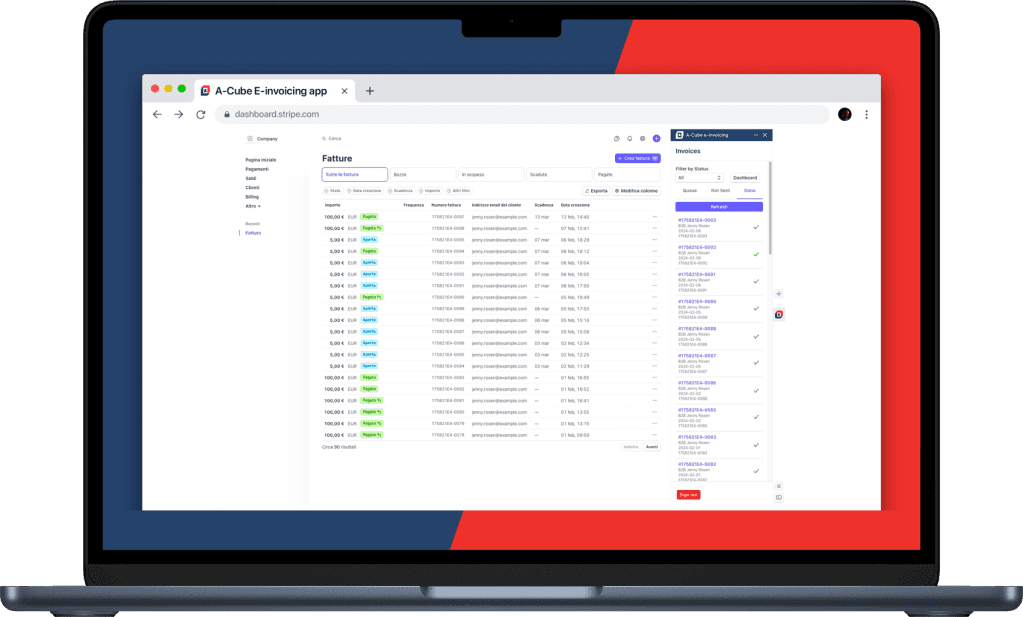
Stripe apps were introduced only a few months ago and allow custom user experiences to be integrated into the work dashboard, simplifying the operations of teams and businesses that rely on this payment service every day. The apps cover all the main functions useful for the daily workflow, such as accounting, analysis, sales reports and marketing actions. Users can install an app from the App Marketplace and use it directly in the Stripe dashboard, conveniently opening it from a side panel always within reach.
How do you use the A-Cube app for e-invoicing?
It takes just a few minutes to get up and running: install the app at this link and sign up with your email and mobile number. Sign the contract digitally via OTP, choose one of the billing plans available, according to your needs: up to 10 documents sent per month the service is completely free, so you can try the app quickly with no commitment or obligations of any kind.
How does the app work?
The app opens alongside Stripe's transaction list and remains close at hand in a sidebar that can be opened when needed: invoices are processed in real time when sent, with no queues or slowdowns. It is possible to send them automatically following a received payment, or manually. You can always check the sending and the progress status directly from the dashboard, or download a copy of the XML or PDF file, use filters and set different tax regimes and invoice formats.
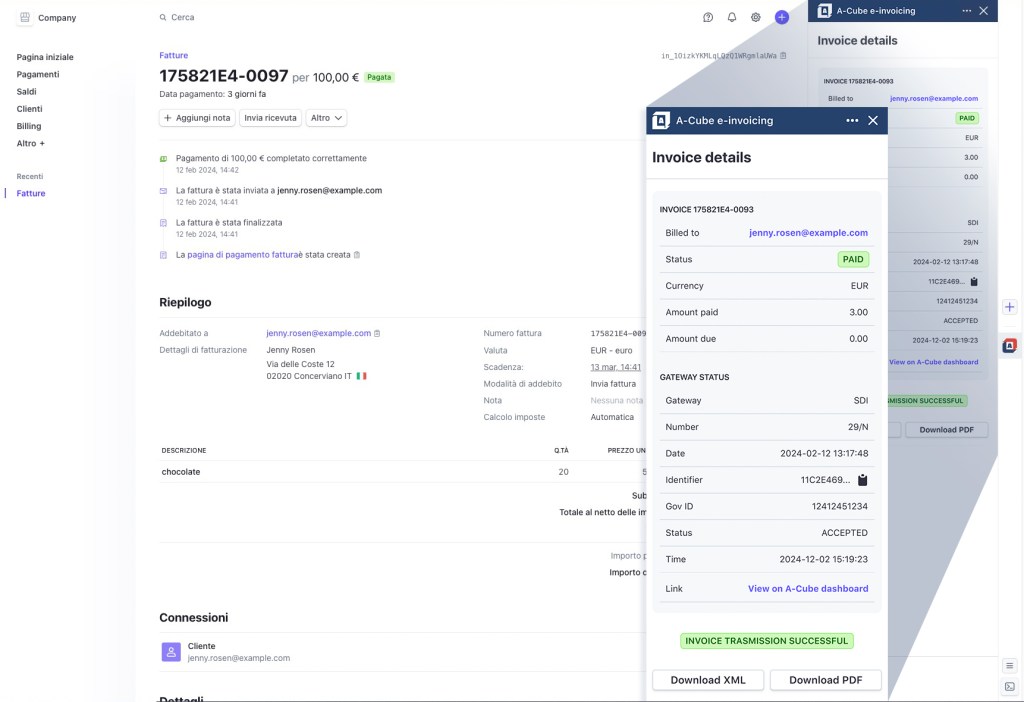
A-Cube also provides a more in-depth monitoring service for invoicing flows, consumption and overall or VAT-number-aggregated usage statistics, together with the option to correct and resend any rejected invoices.
Do you need a more advanced service? It is always possible to integrate the information generated by the Stripe App into any ERP, or add other features to your workflows thanks to the other APIs developed by A-Cube!
Trying it costs nothing
Choose the plan that best suits your current needs, based on the volume of documents to be sent each month, between invoices and credit notes. Up to 10 documents sent the service is free, then the available plans include sending documents up to a monthly limit with a fixed fee; if this limit is exceeded, an extra cost is applied for each sending. A contained and scalable price according to needs, ideal for startups, small e-commerce businesses or to try our service and grow step by step.
For more information on the A-Cube website, the service FAQ and the technical details of how the app works are available. Custom plans and further information can be requested at the email address stripe-support@a-cube.io.
Download the A-Cube e-invoicing app now